

Systems
A system brings together the repositories and resources that make an application work. It shows what belongs together and how the parts depend on each other. For example, a product might include a web app, an API, a mobile app and a database.
Parts and connections
A system can contain other systems. Reading a repository creates a system for it; you can then include it in a larger system alongside related repositories. Resources represent parts such as databases, queues and external APIs.
Parts describe what is inside a system. Connections describe how those parts work together: one consumes an API, provides a service or depends on another part. Grouping repositories does not by itself describe those relationships.
Create a system
- Open Systems and choose Create a system, or the + button if you already have systems.
- In Draw a system, use Read it for any connected repositories listed under Not read yet that you want to include.
- Give the system a name and describe What it is. Select its parts under Systems in it, then choose Create system.
Read the repositories suggests groupings if you need a starting point. You decide which parts belong together. Use Inside another system when this system belongs within a larger one.
Find connections
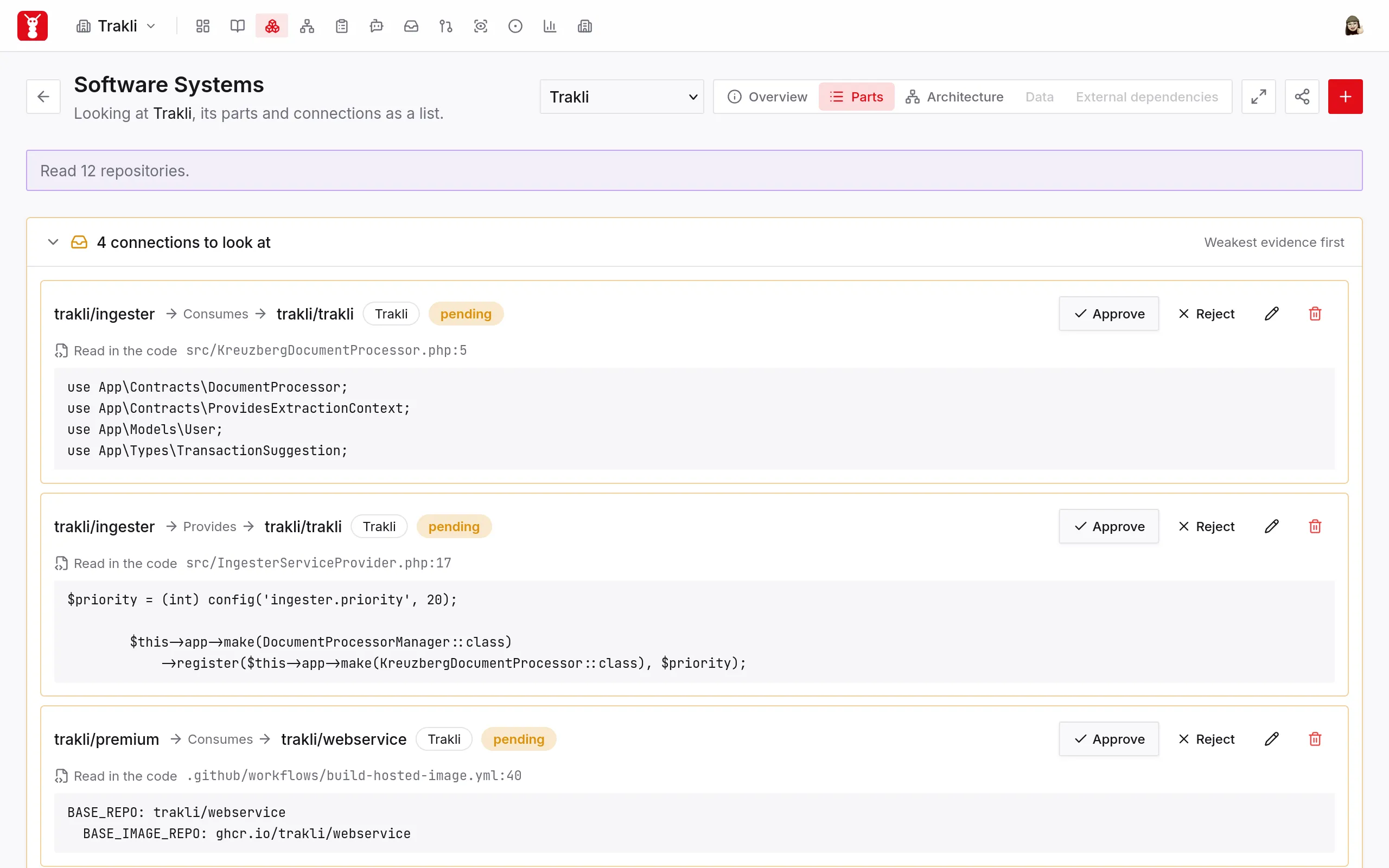
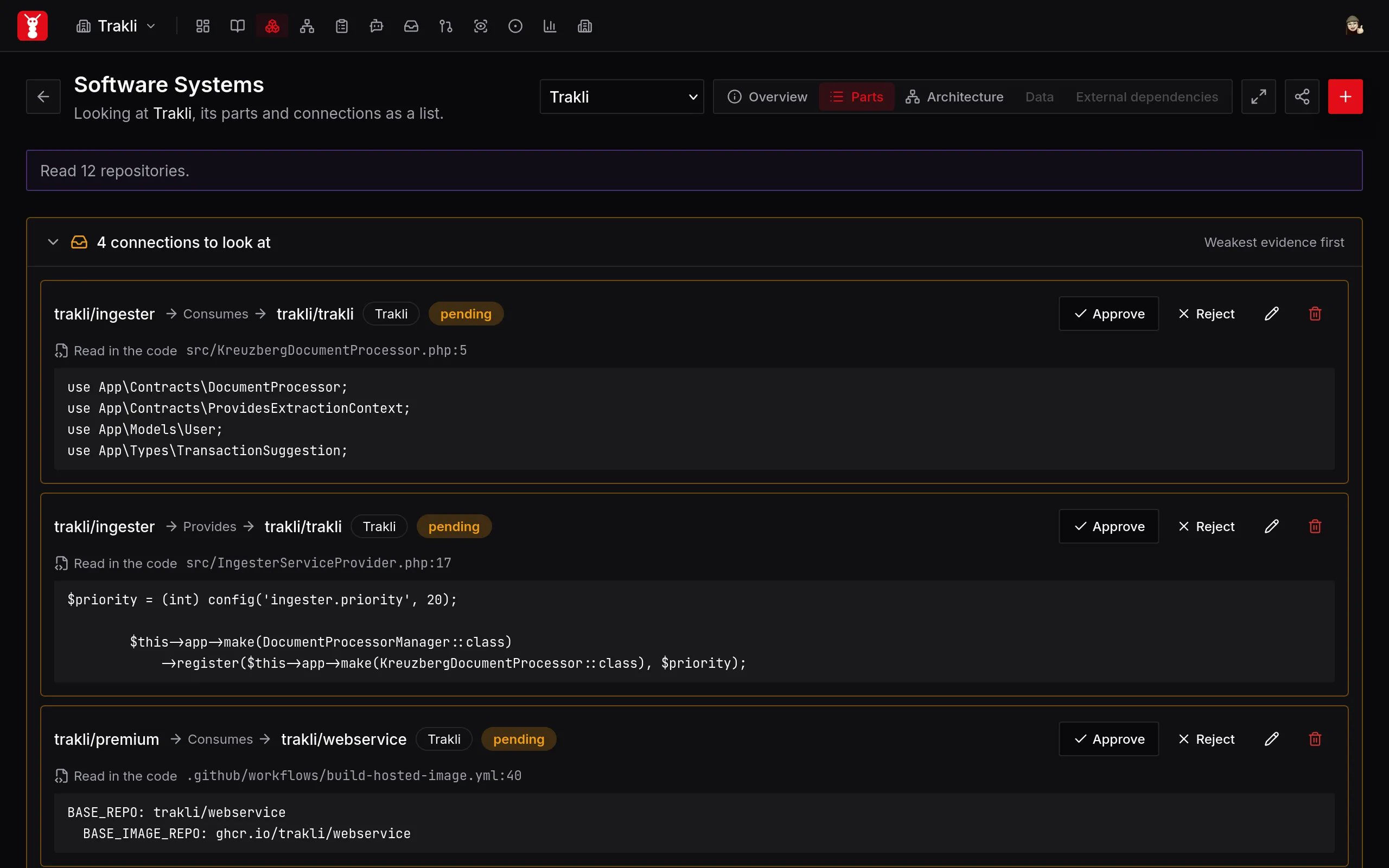
Open a system containing repository systems. Click the share-shaped icon just to the left of the + button in the header. Its tooltip is Find connections. SourceAnt reads declared dependencies and relevant code to propose relationships between the parts. The work runs in the background, so you can leave the page while it continues.
The progress message tells you how many repositories were read and names any that could not be read. Unchanged repositories can reuse an earlier reading. A failed reading does not mean that the repository has no connections.
Review the evidence
Discovered connections start as pending. In Connections to look at, read the relationship from left to right: the source, how it is connected, and the target. Check the cited file and code excerpt before choosing Approve or Reject.
A proposal is something to check, not a confirmed description of your system. Two parts can have more than one relationship, so assess each proposal on its own evidence.
Use Parts to browse the system as a list, or Architecture to explore its structure visually. You can also add connections by hand when you know about a relationship that discovery cannot see.
Use systems in reviews
Systems review, also called cross-repository reviews, uses these relationships to follow a change into related repositories. Approval distinguishes confirmed connections from proposals; it does not decide whether a review can reach another repository.
See Systems review for review setup, how pending connections are handled and what happens when related code cannot be read.